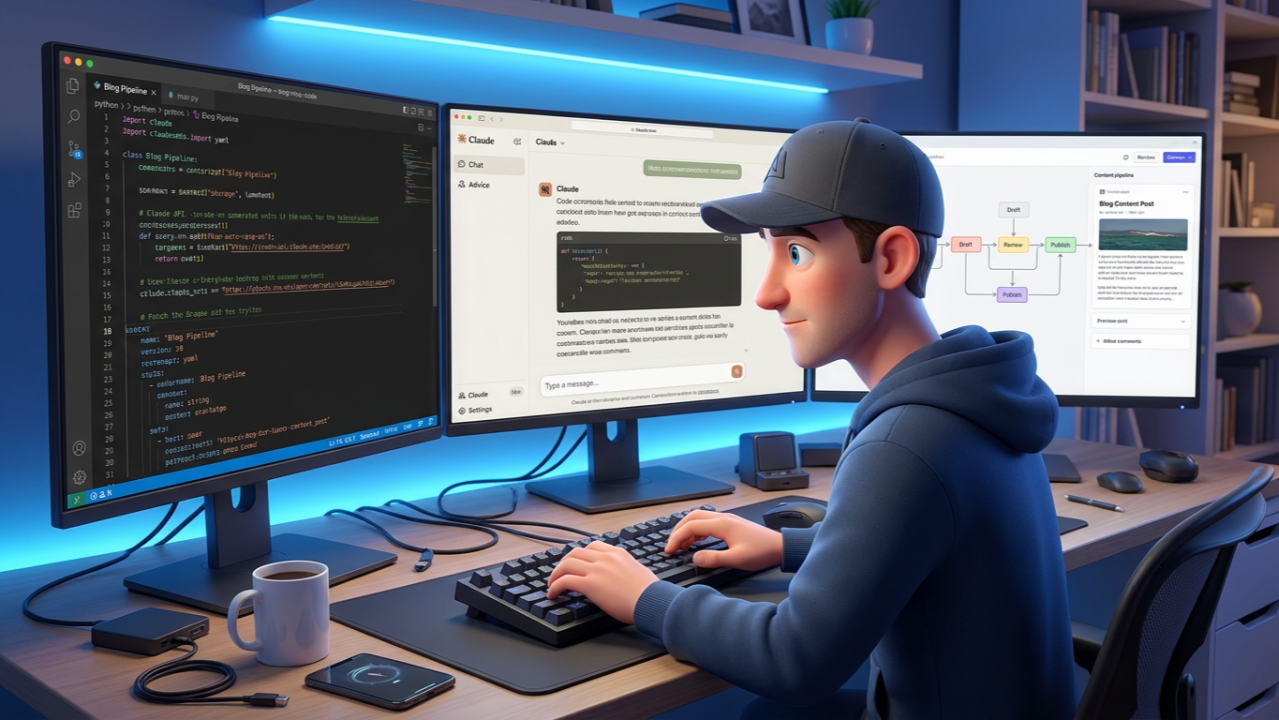
I Wrote an Entire Blog Creation Pipeline for Postman with Claude Code
Six manual steps sat between an idea and a scheduled post at Postman. I turned each one into a Claude Code skill, then had an agent orchestrate them.
Think about what it actually takes to publish a blog post. Not the writing, everything around it. You need an idea. You need a draft. Someone needs to copyedit it and check it against your brand guidelines. You need a header image that matches your design system. You need to stage it in WordPress with the right SEO metadata, categories, and tags. Then you need to schedule it on a day that doesn't conflict with other posts on the editorial calendar.
That's six distinct steps, and every one of them used to be manual. As someone who runs developer advocacy at Postman, I go through this process constantly. So I started building Claude Code skills to handle each piece, and eventually wired them together into a fully autonomous pipeline where a managed agent acts as a traffic cop, orchestrating each step and enforcing quality gates along the way.
Here's how I got there.
Starting with the pieces: atomic skills
Claude Code skills are markdown files that teach Claude a specific workflow. Each skill lives in its own directory as a SKILL.md with YAML frontmatter and step-by-step instructions. You invoke them with slash commands and Claude executes the workflow using its available tools — bash, file I/O, web search, web fetch.
I didn't start with a grand architecture. I started with the individual problems.
The first skill I built was blog-ideas. Before you can write anything, you need to know what to write about. The skill searches trending topics across AI and API development, scores each idea on relevance and timeliness, and gives me a ranked list to pick from. It turned "staring at a blank page" into "choosing from a shortlist."
From there I built blog-write. I wanted to hand Claude a topic like "Testing OAuth 2.0 flows in Postman" and get back a complete blog post with the right voice, structure, and SEO frontmatter. The skill reads our Postman writing style guide (a set of markdown files covering grammar, branded terms, inclusive language, formatting), researches the topic, and writes a post to blog-output/{slug}.md.
That worked well enough that I immediately hit the next bottleneck: copyediting. Every post needed grammar checks, structural review, and validation against our brand guidelines. So I built blog-copyeditor: a skill that reads the style guide, audits a blog post against it, applies safe corrections automatically, and generates a detailed report with an overall quality score.
Then came blog-header-image. Postman has a specific illustration style, a line-drawn astronaut character called the Postmanaut with very precise design rules. The skill generates images using the Gemini API with a carefully crafted prompt that encodes all the character constraints, resizes to our exact dimensions (2560x1355), and saves to blog-output/images/header/.
Then blog-wordpress-stage converting markdown to HTML, uploading images, setting categories and tags, attaching SEO metadata, and creating a WordPress draft via the REST API.
Then blog-wordpress-scheduler managing the editorial calendar, finding the next available slot (Monday through Thursday only, no holidays, no same-day conflicts), and scheduling the post.
Each skill does one thing. Each takes a clear input and writes output to a predictable location. That predictability turned out to be the most important design decision I made, even though I didn't realize it at the time.
Adding hooks: connecting the steps
Once I had the atomic skills working, I noticed a pattern in how I used them. Every time I finished writing a blog post, the next thing I did was run the copyeditor. Every single time. I was the weak link. Sometimes I'd forget, or I'd tell myself I'd do it later and then stage an unedited post.
Claude Code hooks solved this. Hooks let you run shell scripts in response to tool events. I wrote a PostToolUse hook that fires every time Claude's Write tool creates a file:
{
  "hooks": {
    "PostToolUse": [
      {
        "matcher": "Write",
        "hooks": [
          {
            "type": "command",
            "command": "hooks/blog-copyeditor-hook.sh"
          }
        ]
      }
    ]
  }
}
The hook script is selective, it checks whether the written file is actually a blog post (markdown, lives in blog-output/, isn't a copyedit report or a README). If it is, it injects a message into the conversation: "A blog post was written. Run /blog-copyeditor on this file."
It's a nudge, not a mandate. When I'm running skills individually, the hook reminds me of the next step. When the full pipeline is running, the orchestrator handles sequencing and the hook's suggestion is redundant but harmless. This distinction matters, hooks work best when they add guardrails without breaking existing workflows.
The orchestrator: managed agents as traffic cop
The atomic skills and hooks gave me a solid interactive workflow. But I wanted something fully autonomous, give it a topic, walk away, come back to a WordPress draft ready for review. That's where agents teams come in.
I built a blog-pipeline orchestrator using Anthropic's agent teams API. The orchestrator is a single agent with a comprehensive system prompt that knows the full pipeline sequence. It acts as a traffic cop: it calls each step in order, inspects the output, and decides whether to proceed or loop back.
The pipeline runs like this:
Topic or draft
     │
     ▼
  ┌────────┐
  │  Write  │  → blog-output/{slug}.md
  └────┬───┘
       ▼
  ┌──────────┐
  │ Copyedit  │  → blog-output/{slug}-copyedit.md
  └────┬─────┘
       ▼
  ┌──────────────┐
  │ Header Image  │  → blog-output/images/header/header-{slug}.png
  └────┬─────────┘
       ▼
  ┌─────────────────┐
  │ WordPress Stage  │  → draft on blog.postman.com
  └────┬────────────┘
       ▼
  ┌────────────┐
  │  Schedule   │  → next available Mon-Thu slot
  └────────────┘
What makes the orchestrator more than just a script that calls skills in sequence is the quality gates. The orchestrator doesn't blindly pass output from one step to the next. It inspects the results and enforces standards.
The header image step is the best example. The Postmanaut character has very specific design rules — the entire character is black outlines and white fill only, no hands or feet (limbs end in rounded tubes), a blank visor with no facial features, an orange antenna dot at the apex of the helmet. The orchestrator scores each generated image against a 12-point rubric:
-
Rounded helmet
-
Orange antenna dot on a stick at the helmet apex
-
Backpack with visible straps
-
Chest patch
-
Clean black outlines, white fill
-
Pill-shaped ground shadow in light grey
-
No visible face on the visor
-
Tube limbs with no hands or feet
-
No wrist or ankle lines
-
No text in the image
-
Relevant product logos included
The image must score 12 out of 12 to pass. If it doesn't, and generative image models miss the character constraints regularly, the orchestrator revises the prompt and regenerates. It keeps iterating until the rubric is satisfied. No human needs to squint at a Postmanaut and count fingers.
The copyeditor step has its own quality score out of 10. The WordPress staging step validates that the HTML conversion is clean, that images uploaded successfully, and that all SEO fields are populated. At every stage, the orchestrator is checking the work before moving forward.
Running the managed agent is three Python scripts:
Register the agent once
python3 create-agent.py
Provision a cloud environment
python3 create-environment.py
Run a session — streams output in real time
python3 run-session.py
--agent $AGENT_ID
--env $ENV_ID
"What's new in Postman's MCP support"
The session runner streams every tool call and file write as it happens, then reports token usage when the pipeline finishes. I can kick this off from a webhook, a cron job, or a queue processor — no Claude Code session needed.
The Kanban layer: visual tracking on top of the pipeline
The pipeline produces files in predictable locations. That predictability enabled something I didn't originally plan: a visual Kanban dashboard that tracks pipeline progress in real time without being coupled to the pipeline itself.
The dashboard is a Flask app with a file watcher that polls blog-output/ every three seconds. It doesn't call any pipeline APIs. It doesn't know about managed agents. It just watches for files and advances cards:
-
New .md file appears → card moves from "Writing" to "Copyedit"
-
-copyedit.md file appears → card moves to "Header Image"
-
header-{slug}.png appears → card moves to "Staging"
-
wordpress_id shows up in the post's YAML frontmatter → card moves to "Review"
The pipeline agents don't know the dashboard exists. The dashboard doesn't know about the agents. They communicate entirely through the file system. This decoupling means the dashboard works the same whether I run the pipeline interactively in Claude Code, through the managed agent API, or from the dashboard's own queue processor. All three produce the same files, and the watcher tracks all of them.
If a card sits in "Writing" for more than 30 minutes with no output file, the watcher flags it as an error — the pipeline agent probably failed silently. That timeout-based error detection costs me zero integration code.
Packaging it as a plugin
All of this ships as a Claude Code plugin. The plugin manifest is a plugin.json that declares the skills directory and hooks config:
{
  "name": "devrel-skills",
  "version": "1.0.0",
  "description": "Developer advocacy toolkit for Postman.com",
  "skills": "./skills/",
  "hooks": "./hooks/hooks.json"
}
Anyone on my team installs it with claude plugin install and gets all 18 skills namespaced as /devrel-skills:blog-write, /devrel-skills:blog-pipeline, etc. Same workflows, same guardrails, same quality gates. The style guide, the copyeditor rubric, the image quality checks — they're all baked into the skill definitions, not into anyone's personal workflow.
What I learned building this
Build each piece before you wire them together. I ran blog-write, blog-copyeditor, and blog-wordpress-stage individually for weeks before I built the pipeline orchestrator. Each skill needs to be solid on its own, because debugging a failing skill inside a six-step pipeline is painful. Debugging it in isolation is straightforward.
Put your quality gates in the orchestrator, not the atomic skills. The header image skill generates an image. The orchestrator decides whether that image is good enough. This separation keeps the atomic skills simple and reusable while concentrating decision-making in one place.
Use the file system as your coordination layer. Agents come and go. Files persist. When every skill writes to a predictable path with a predictable naming convention, you get composability for free. The Kanban dashboard, the managed agent, and the interactive Claude Code workflow all emerged from the same file conventions without any shared code.
Encode rules in skills, not in your memory. This one cost me. I had a rule in my head: "don't include customer names in blog content from the product updates channel" , and it only worked when I was the one running the command. The day I put that rule into the skill definition, it started working for everyone, every time. If a rule matters, it belongs in the skill.
Hooks are for connecting, not controlling. My copyeditor hook suggests the next step after a blog post is written. It doesn't force it. This means hooks add value during interactive use without interfering when the orchestrator is driving. Design hooks as guardrails, not as flow control.
Invest in your style guide. It's the highest-leverage artifact in the whole system. The blog writer reads it before drafting. The copyeditor checks against it. The managed agent enforces it autonomously. Every improvement to the style guide improves every piece of content the pipeline will ever produce. It compounds.
Where it stands today
The plugin has 18 skills covering blog creation, competitive intelligence (CFP hunting, event sponsorship scoring, Reddit sentiment analysis), community engagement (newsletters, event analytics, influencer research), and social media management (a four-agent team that researches, writes, packages, and posts weekly content). If you are interested, I can open source it. I will just need to remove the Postman specific copyedit/brand guidelines.
The blog pipeline handles everything from raw topic to scheduled WordPress draft, with quality gates at every step and an orchestrating agent that acts as traffic cop through the whole process. The Kanban dashboard gives visual tracking without any coupling to the pipeline internals.
What started as "I want to stop forgetting SEO frontmatter" turned into a system where I type a topic and come back to a staged, scheduled, quality-checked WordPress draft. The progression was natural: build the pieces, connect them with hooks, then let a managed agent drive the whole thing. Each layer added autonomy without removing control. I can still run any skill individually, and the pipeline is just those same skills with an agent keeping them honest.
Subscribe
New posts on AI, developer relations, photography, and the odd long walk, straight to your inbox. No spam.